ボタンの割り当て
この商品の:
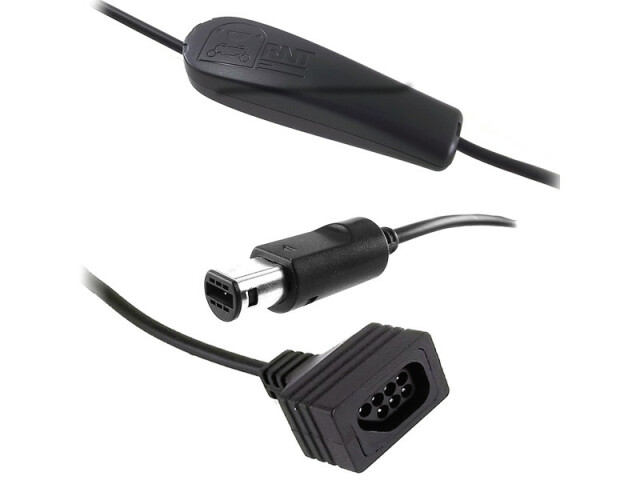
ファミコンのコントローラを→ゲームキューブまたはWii変換アダプター。
売り切れ
使い方
To enable a mapping, press the corresponding button at the right moment. The right moment being one of:
- Within about 1 second after powering up the adapter (i.e. Turning the console ON or connecting the cable to the console)
- Within about 1 second after connecting the NESコントローラー
The adapter saves and restores the last mapping automatically. (i.e. If you are always playing the same game, no need to re-enable the mapping every time you use the adapter)
Please also note:
- Mappings can be changed during the whole second following power-up or NESコントローラー connection. Wait 2 seconds before touching the buttons to avoid an unintentional mapping change.
ボタンの割り当てリスト
Mode 1 (Default)
| Mode 1 (Default) |
|---|
| Gamecube | NES | 注 |
|---|
| DPAD | DPAD | One-one mapping |
| A | A |
| B | B |
| START | START |
| Z | SELECT |
| L + R | A + B + Select + Up | To open some emulator menus |
| C-Stick left | A + B + Select + Left |
| 有効: | Enable it by holding the A on your NES when powering the adapter. |
|---|
| 利用: | Virtual console NES games. |
|---|
Mode 2 (AB swapped)
| Mode 2 (AB swapped) |
|---|
| Gamecube | NES | 注 |
|---|
| DPAD | DPAD | |
| A | B | |
| B | A | |
| START | START | |
| Z | SELECT | |
| L + R | A + B + Select + Up | To open some emulator menus |
| C-Stick left | A + B + Select + Left |
| 有効: | Enable it by holding the A + B on your NES when powering the adapter. |
|---|
| 利用: | Mega Man Anniversary, etc |
|---|
Mode 3 (Select Y)
| Mode 3 (Select Y) |
|---|
| Gamecube | NES | 注 |
|---|
| DPAD | DPAD | |
| A | A | |
| B | B | |
| START | START | |
| Y | SELECT | |
| X | A + B + Select + Up | |
| Z | A + B + Select + Left | |
| 有効: | Enable it by holding the B on your NES when powering the adapter. |
|---|
| 利用: | Mario All Stars (Wii) |
|---|