Button mappings
For product:
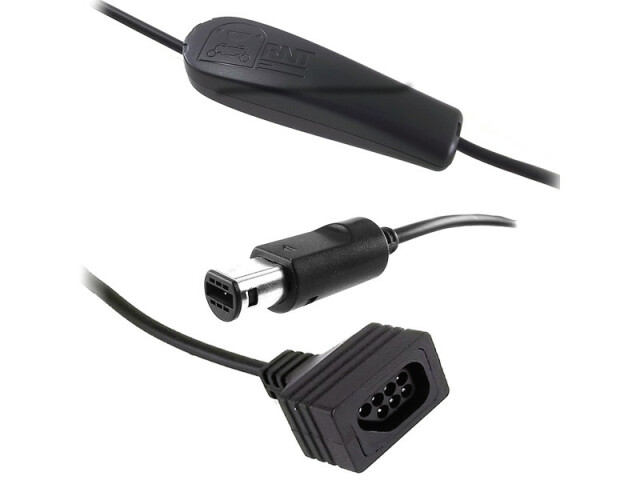
An adapter for using NES controllers on a Wii or Gamecube.
Out of stock
For firmware(s):
- 2.6
Instructions:
To enable a mapping, press the corresponding button at the right moment. The right moment being one of:- Within about 1 second after powering up the adapter (i.e. Turning the console ON or connecting the cable to the console)
- Within about 1 second after connecting the NES controller
Please also note:
- Mappings can be changed during the whole second following power-up or NES controller connection. Wait 2 seconds before touching the buttons to avoid an unintentional mapping change.
Mapping list
Mode 1 (Default)
| Mode 1 (Default) | ||
|---|---|---|
| Gamecube | NES | Comments |
| DPAD | DPAD | One-one mapping |
| A | A | |
| B | B | |
| START | START | |
| Z | SELECT | |
| L + R | A + B + Select + Up | To open some emulator menus |
| C-Stick left | A + B + Select + Left | |
| Selection: | Enable it by holding the A on your NES when powering the adapter. | |
| Uses: | Virtual console NES games. | |
Mode 2 (AB swapped)
| Mode 2 (AB swapped) | ||
|---|---|---|
| Gamecube | NES | Comments |
| DPAD | DPAD | |
| A | B | |
| B | A | |
| START | START | |
| Z | SELECT | |
| L + R | A + B + Select + Up | To open some emulator menus |
| C-Stick left | A + B + Select + Left | |
| Selection: | Enable it by holding the A + B on your NES when powering the adapter. | |
| Uses: | Mega Man Anniversary, etc | |
Mode 3 (Select Y)
| Mode 3 (Select Y) | ||
|---|---|---|
| Gamecube | NES | Comments |
| DPAD | DPAD | |
| A | A | |
| B | B | |
| START | START | |
| Y | SELECT | |
| X | A + B + Select + Up | |
| Z | A + B + Select + Left | |
| Selection: | Enable it by holding the B on your NES when powering the adapter. | |
| Uses: | Mario All Stars (Wii) | |